What Is IPTV?
IPTV stands for Internet Protocol Television. It’s a way of watching TV channels, movies, and live content through your internet connection — instead of through a satellite dish or cable wire.
Think of it like this:
Traditional TV = signal travels through a satellite dish or cable wire into your TV.
IPTV = content travels through your home Wi-Fi or broadband internet connection into your TV, phone, tablet, or streaming box.
That’s the core difference. IPTV uses the same internet connection you already have at home to deliver television — live channels, on-demand movies, sports, news, kids’ content, and more.
It’s the same technology used by major streaming services like Netflix and YouTube, but applied to traditional television broadcasting. The result is a more flexible, affordable, and feature-rich way to watch TV.
How Does IPTV Work? (The Non-Technical Explanation)
You don’t need to be technical to understand how IPTV works. Here’s the basic process in plain English:
- 1. Content is stored on secure servers. TV channels, movies, and shows are held on powerful servers run by IPTV providers.
- 2. You subscribe to a service. You sign up for an IPTV plan and get login credentials (username, password, and a server link).
- 3. An app on your device connects to those servers. You install an IPTV player app (like IPTV Smarters, TiviMate, or a dedicated app) on your Smart TV, Android box, phone, or tablet.
- 4. Content streams directly to your screen. The app pulls live channels or on-demand content from the server and plays it — in HD, Full HD, or 4K depending on your plan and internet speed.
That’s it. No satellite dish. No cable engineer visit. No extra hardware beyond a compatible device and a decent internet connection.
The Three Types of IPTV Content
Most IPTV services offer three types of content:
- Live TV: Channels streaming in real-time — sports, news, entertainment, Arabic channels, Indian channels, and thousands more.
- Video on Demand (VOD): A library of movies, TV shows, and series you can watch whenever you want — similar to Netflix.
- Catch-Up TV: Episodes and programmes you missed, available to replay for a set period after they air.
IPTV vs Cable TV vs Satellite: Quick Comparison
Still not sure how IPTV stacks up against what you’re used to? Here’s a side-by-side comparison:
| Feature | IPTV | Cable TV | Satellite Dish |
| Setup Required | App install only | Engineer visit needed | Dish installation needed |
| Monthly Cost (UAE) | AED 25–40/month | AED 150–250/month | AED 80–200/month |
| Channel Count | 10,000–30,000+ channels | 100–500 channels | 200–1,000+ channels |
| 4K Streaming | Yes (on good plans) | Limited | Limited |
| On-Demand Content | Huge library (VOD) | Limited | Very limited |
| Catch-Up TV | Yes | Limited | No |
| Multi-Device Support | Up to 4 screens | 1–2 screens | 1 TV per dish |
| Internet Required? | Yes | No | No |
| Portability | Fully portable | Fixed to property | Fixed location |
| Contract | Monthly/yearly, no lock | 12–24 month contracts | Hardware cost upfront |
The bottom line: IPTV wins on price, flexibility, and content variety. The trade-off is that it requires a stable internet connection — which, in the UAE with its world-class fibre and 5G infrastructure, is rarely a concern.
Is IPTV Legal in the UAE?
This is the question everyone asks first — and it deserves a straight answer.
IPTV as a technology is perfectly legal in the UAE. The TDRA (Telecommunications and Digital Government Regulatory Authority) has no restrictions on using internet-based TV services per se. Etisalat (now e&) and du both offer their own managed IPTV services, which are 100% licensed and fully legal.
The legal grey area involves unlicensed third-party IPTV services — providers that stream content without holding the proper broadcast rights or licences. Accessing content through these services violates UAE copyright law and can, in principle, carry penalties.
The safe rule: If a provider is transparent about their service, has clear terms and conditions, and is operating legitimately in the UAE market, they are offering a legitimate service. IPTV Mart only works with vetted, compliant providers.
Our full guide on this topic — Is IPTV Legal in UAE? — goes into much more detail if you want the complete legal picture.
What Do You Need to Watch IPTV in UAE?
Getting started with IPTV in the UAE is simpler than most people expect. Here’s what you need:
- A Stable Internet Connection
IPTV is only as good as your internet. Here are the minimum speeds we recommend:
| Streaming Quality | Minimum Speed | Recommended Speed |
| Standard Definition (SD) | 5 Mbps | 10 Mbps |
| High Definition (HD 1080p) | 10 Mbps | 25 Mbps |
| 4K Ultra HD | 25 Mbps | 50 Mbps |
| Multiple screens at once | 50 Mbps | 100 Mbps |
Most UAE homes with standard fibre broadband from Etisalat or du will have no issues streaming HD or even 4K IPTV.
- A Compatible Device
IPTV works on almost any modern device. You can use:
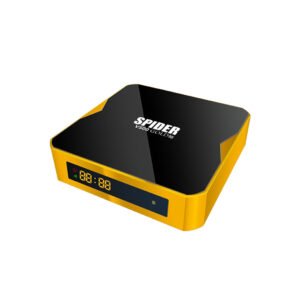
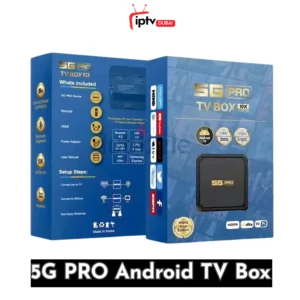
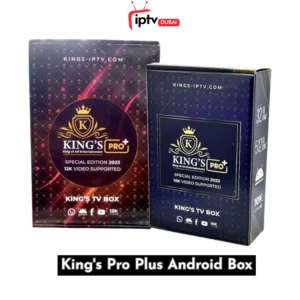
- Android TV Box — a small plug-in box (like the SwitzPro Google TV Box available at IPTV Mart) that turns any TV into a smart IPTV screen
- Smart TV — Samsung, LG, Sony, or any Android TV can run IPTV apps directly
- Amazon Firestick — plug into your TV’s HDMI port and sideload an IPTV app
- Smartphone or Tablet — watch on iPhone, iPad, or any Android device
- Laptop or PC — via browser or desktop IPTV player apps
An Android TV box typically gives the best IPTV experience — dedicated hardware, a proper remote control, and optimised performance for streaming.
- An IPTV Subscription
You’ll need an active IPTV subscription from a provider. This gives you the login credentials and server address your player app uses to access the channels.
- An IPTV Player App
Once you have your subscription, you’ll install an IPTV player app on your device. Popular apps used in the UAE include IPTV Smarters Pro, TiviMate, XCIPTV Player, and OTT Navigator. These are free to download and use.
How Much Does IPTV Cost in the UAE?
IPTV is significantly cheaper than cable or satellite TV in the UAE. Here’s a typical pricing breakdown:
| Plan Type | Typical Price (AED) | What’s Included | Best For |
| Monthly Subscription | AED 25–40/month | 10,000–30,000 channels, HD streaming, VOD | Trying IPTV for the first time |
| Quarterly Plan | AED 80–120 (3 months) | Full channel access, better server stability | Occasional users |
| Annual Subscription | AED 120–160/year | Full access, cheapest per-month cost, priority support | Regular daily watchers |
| Box + Annual Bundle | AED 250–900 | Android TV box + 1-year subscription included | New users who need hardware |
A one-year IPTV subscription typically works out to less than AED 15 per month — that’s less than a single coffee at most Dubai cafes. Compare that to Etisalat’s eLife TV packages which start from AED 170/month.
At IPTV Mart, our annual IPTV subscription includes 20,000+ live channels, 80,000+ movies, 25,000+ series, and works on Smart TVs, Android boxes, phones and tablets — all from one affordable plan.
Frequently Asked Questions
Can I watch IPTV in Arabic in UAE?
Yes. Most IPTV services available in the UAE include full Arabic channel packages — MBC Group (MBC1, MBC2, MBC Action, MBC Bollywood, MBC Drama), OSN channels, Abu Dhabi TV, Dubai TV, Al Arabiya, Al Jazeera, beIN Sports (Arabic), and many more. Arabic content is typically one of the strongest categories in UAE-focused IPTV services.
Do I need a VPN to use IPTV in the UAE?
No, you generally do not need a VPN to use IPTV in the UAE. Licensed and legitimate IPTV services work perfectly on UAE internet without a VPN. Some users choose to use a VPN for additional privacy, but it is not a requirement for basic IPTV use.
How many devices can I use with one IPTV subscription?
This depends on your subscription plan. Most standard IPTV subscriptions allow 1–2 simultaneous connections. Premium plans or family packages often allow 4 or more screens at the same time — ideal for households where multiple family members watch different channels simultaneously.
Will IPTV work with 5G in the UAE?
Absolutely. The UAE’s 5G network, offered by both Etisalat (e&) and du, provides more than enough bandwidth for HD and 4K IPTV streaming. If you are using a mobile data connection or a 5G home router, you can stream IPTV without any issues at high quality.
What happens if my IPTV buffers or freezes?
Buffering is usually caused by a slow internet connection, a congested Wi-Fi signal, or an overloaded server. The quick fixes are: restart your router, switch from Wi-Fi to a wired ethernet connection, or upgrade your IPTV subscription to a provider with better server infrastructure. We have a full troubleshooting guide on the IPTV Mart blog.
Can I use IPTV on my Samsung or LG Smart TV?
Yes. Most modern Samsung (Tizen OS) and LG (webOS) Smart TVs support IPTV through downloadable apps like Smart IPTV or SS IPTV. Alternatively, you can plug an Android TV box like the SwitzPro into your TV’s HDMI port to run any IPTV app.
The Bottom Line
IPTV is simply television delivered over the internet. For UAE residents, it offers a compelling combination of massive channel selection, HD and 4K quality, flexible pricing in AED, and the convenience of watching on any device — anywhere.
Whether you’re an Indian expat wanting to catch Zee TV, a football fan tracking the Premier League, an Arabic-speaking family watching MBC, or a Bollywood lover who wants a massive VOD library — IPTV has you covered at a fraction of what cable TV costs.
Ready to get started? Browse our IPTV boxes and subscription plans at IPTV Mart — UAE’s trusted source for premium IPTV hardware and subscriptions delivered to your door.